How we redesigned and rearchitected our Merchant Experience
Originally published on Razorpay Engineering
Journey on how we made the merchant experience better — Part 1: Engineering Process
TL;DR
At Razorpay, we were experiencing user dropouts for a variety of reasons, particularly during the onboarding process, which resulted in an 89% user dropout.
Because of the architecture limitations, it was hard and challenging for us to give merchants a better experience that was fast, consistent, and had few dropouts.
As a result, we changed our development strategy and turned our monolithic web application into a progressive web application (PWA). We added offline caching, a design system, simple state management, GraphQL, saving user-filled data during onboarding, and support for multiple languages.
This made a big difference for all of our product's key conversion metrics, such as the number of merchants who signed up to have their accounts automatically activated, the time it took to finish onboarding, and signup page visits to MTU. Almost all of the key metrics were improved by at least 1.5X.
This article is the first in a series that covers how the Payments Team at Razorpay re-architect and redesigned the merchant experience. This article talks about the challenges we had on hand, and the process we followed in order to solve those challenges.
1. Challenges on hand
As we tried to find the best ways to improve the merchant experience and reduce drop-offs, we ran into many challenges. These challenges were technical and UX in nature.
1.1 Technical Challenges
- Performance that falls short of industry norms (load time aka LCP > 18s)
- Server-side rendering was happening on this monolith architecture, which was adding a huge TTFB (Time to First Byte) of 10 seconds for just a basic render
- The previous design was built for desktop, and we developers were retrofitting the mobile views to support responsiveness
- Multiple state management were causing multiple unnecessary re-renders
- Huge TTFB due to SSR and BE tech debts
- Design were inconsistent across multiple modules
- Designers, product managers, and developers were duplicating efforts when onboarding new products/features
- Large efforts for small gains for white labeling support
- Because of the old architecture, the POC for MVP was becoming more difficult to implement
1.2 UX Challenges
- Forms were lengthy with a less intuitive user interface
- UX was mostly focused on desktop, although the majority of business users are coming from mobile devices (2.5x more traffic on mobile than desktop)
- Onboarding forms were lacking in user engagement because of missing labels and helpful texts in the fields
2. How did we solve the challenges
We did something different than usual when developing a new product at Razorpay. Here's how we used engineering to solve the challenges listed above.
- UX Research
- RFC (Request for Comments)
- Finalise Design System
- Timelines planning
- Tech Specs
- Development
- Post development
- Ramp up process
2.1 UX Research
The design team chose a customer-centered approach, so they dove in and did a lot of research on existing problems.
- Internal data on conversion rates and support tickets were analyzed to identify drop off points
- Researched current state of UI based on Hotjar data
- We invited our merchants to participate based on their availability and interest in providing constructive feedback
- We conducted the survey with participants and did qualitative analysis on survey result
Our previous onboarding procedure was desktop-first, lacked user engagement, and involved lengthy forms:
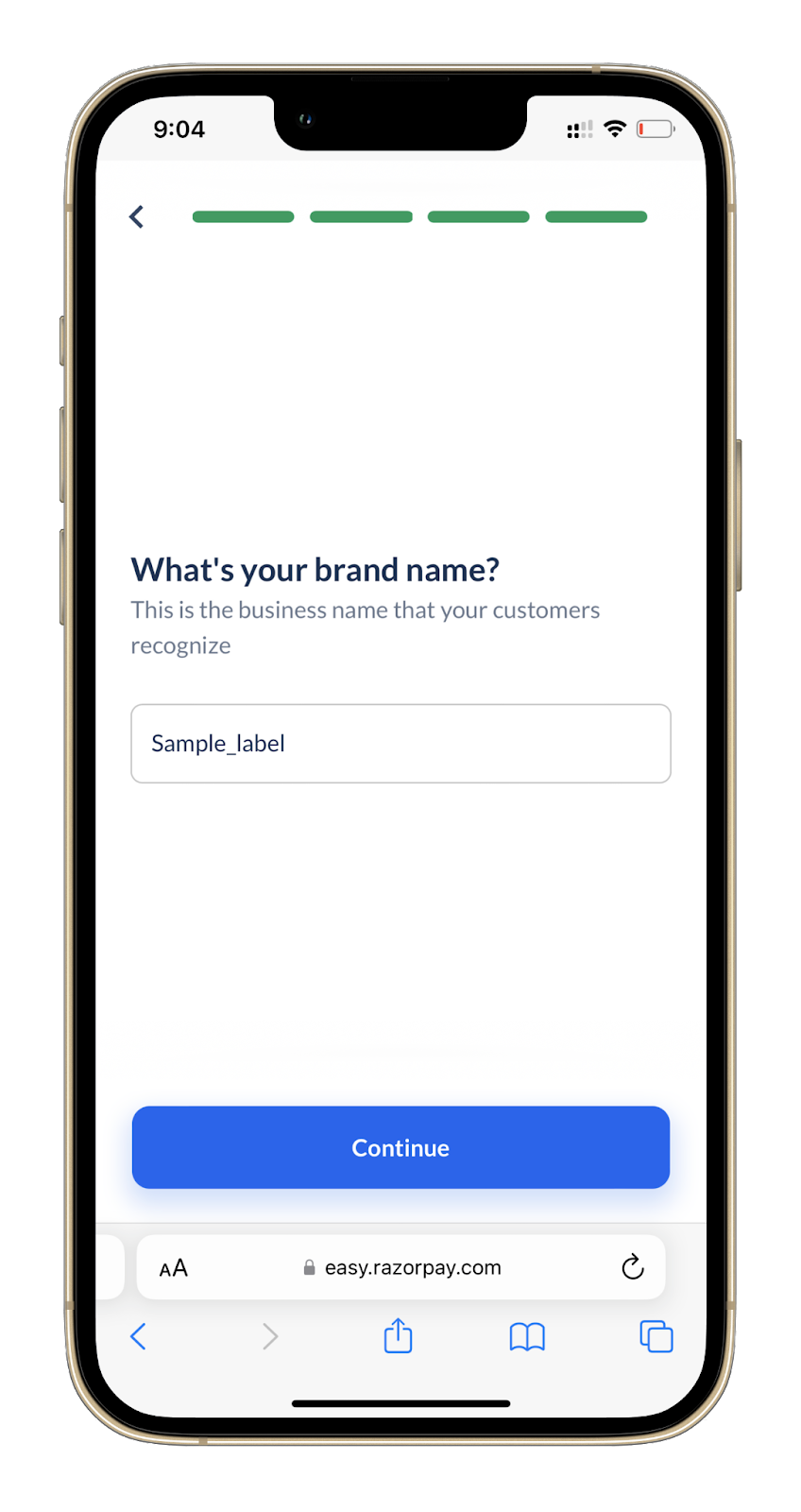
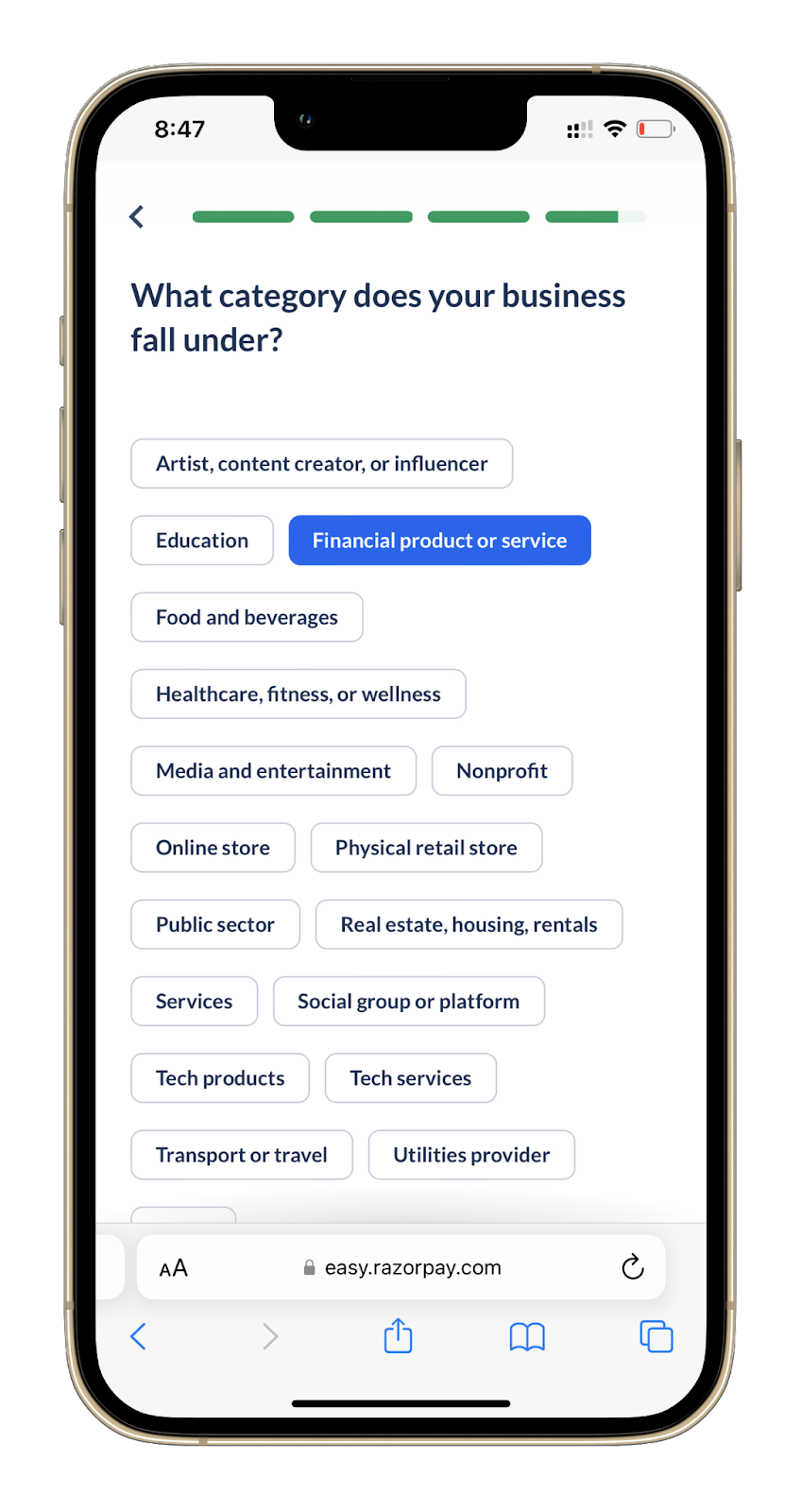
The new onboarding process is conversational onboarding to increase user engagement; it's assistive in nature, it focuses on one question at a time, it shows the progress of completion, and it's mobile-first in design:
2.2 Request for Comments
The success of a software engineering project depends on a method that gets everyone on board, encourages brainstorming and teamwork, improves communication between departments, and sets a benchmark for future products.
In the RFC, our team included the following topics to finalize before moving to tech specs:
- Brainstorming on tools and libraries: we used criterion metrics to choose cutting-edge, stable, and future-proof solutions. We used Github Insights, NpmTrends, BundlePhobia and NPMCompare extensively.
- Finalise of design system: criteria metrics were specific to the design system — scalability, maintainability, consistency, level of customisation for white labeling, UX performance, number of components provided out of the box, learning curve.
- Alternative approaches for rendering mechanism: we chose CSR because SEO wasn't needed for this project.
- PWA capabilities: discussed all PWA capabilities to provide UX as close as native apps.
- Delightful features: support for theming for white labeling and multiple languages.
2.3 Finalize the Design System
We had to finalize the design system before the technical specs to maximize the efficiency of the delivery schedule.
- Daily developers sync with designers: we decided to go with MUI based on the framework comparison metrics.
- Align designers on customization: set up a theme configuration for our own brand theme and centralized all configurations in one place.
- Align on components library based on priority: there were so many parts to the design system that we had to target them one by one.
- Developer and designer alignment on grid layout, gutter spacing, color themes, typography, and component customization.
2.4 Timelines planning
We created the board to track the milestones. Developers, EMs, product managers, and designers worked together to set the milestones so that everyone involved in the project knew about each unique dependency.
We scoped the project according to priorities. All developers came together, broken down all the tasks into subtasks, and t-shirt sized all the development action items.
2.5 Tech Specs
- Call out current and future scope: necessary to figure out how much bandwidth each action item would need and break the application into pieces that could be handled.
- Detailed architecture setup: we built the architecture by considering three major areas: authentication flow, dependent services, and DDoS attack prevention.
- Scaffolding: robust in-house scaffolding for CSR apps that takes care of basic setup of Analytics, AB experiments, error monitoring SDKs, RTL, jest, linting.
- State Management: our custom hooks with react query to generalize the solution for all the different modules.
- PWA capabilities: caching to pre-cache all routes for butter smooth navigation across the SPA, native app experience with full screen support, installable on desktop and mobile.
2.6 Development
- Analytics: HOC & custom hooks setup for analytics events tracking
- AB testing: modifications on the existing in-house utility libraries
- React Query: react-query setup for making calls to GraphQL
- GraphQL: authentication setup on the GraphQL
- Custom hooks for API: setup custom hooks for consuming the API data in functional components
- Custom hooks for form elements: Create custom hooks for loading form elements using react-query and react-hook-form hooks
2.7 Post Development
- Deployment pipeline setup with necessary checks — integrated end-to-end testing test suites
- Document PR guidelines: wrote down PR guidelines and put a link in the PR template
- Analytics events setup: built analytics dashboard to track conversion of all old and new flows
- Performance monitoring setup: created a custom dashboard to keep track of all UX performance metrics
- Bundle size tracking and alerting setup
- Error tracking dashboard
- On-call dashboard and alerts setup
- Sign-off process from analytics, product, QA, design, and security teams
2.8 Ramp up Process
We had AB experiments in place, so we had complete control of our user flow for the new system.
- Monitored the health of the application
- Monitored the product conversion using analytics
- Ramped up traffic to new user flow based on the conversion rate improvements of key product metrics
- Identified and fixed the flow if there are any issues present in the conversion or application performance
- Stepped back to monitor the conversion again to keep improving the conversion rate
Impact on FE Culture in Razorpay
We did a lot of research into how to solve the product's problems and address common design concerns. Because of this, we decided to use this project's tech specs as a starting point to build the tech specs template at the org level in Razorpay after the project was done.
There were 15+ developers collaborating, and everyone on the team showed great ownership and enthusiasm to deliver this massive project, which increased our collaboration, communication, and bonding for future projects.